
Home » i4paintshop

Imel’s global 4.0 and Lean solution provides for the complete integration of four environments, entirely developed by our R&D center, which can be implemented simultaneously or in subsequent phases.
ImelSW4, the heart of the architecture, is the new PLC plant control software, fully integrated with i4paintshop, i4visual and i4quality-plus.
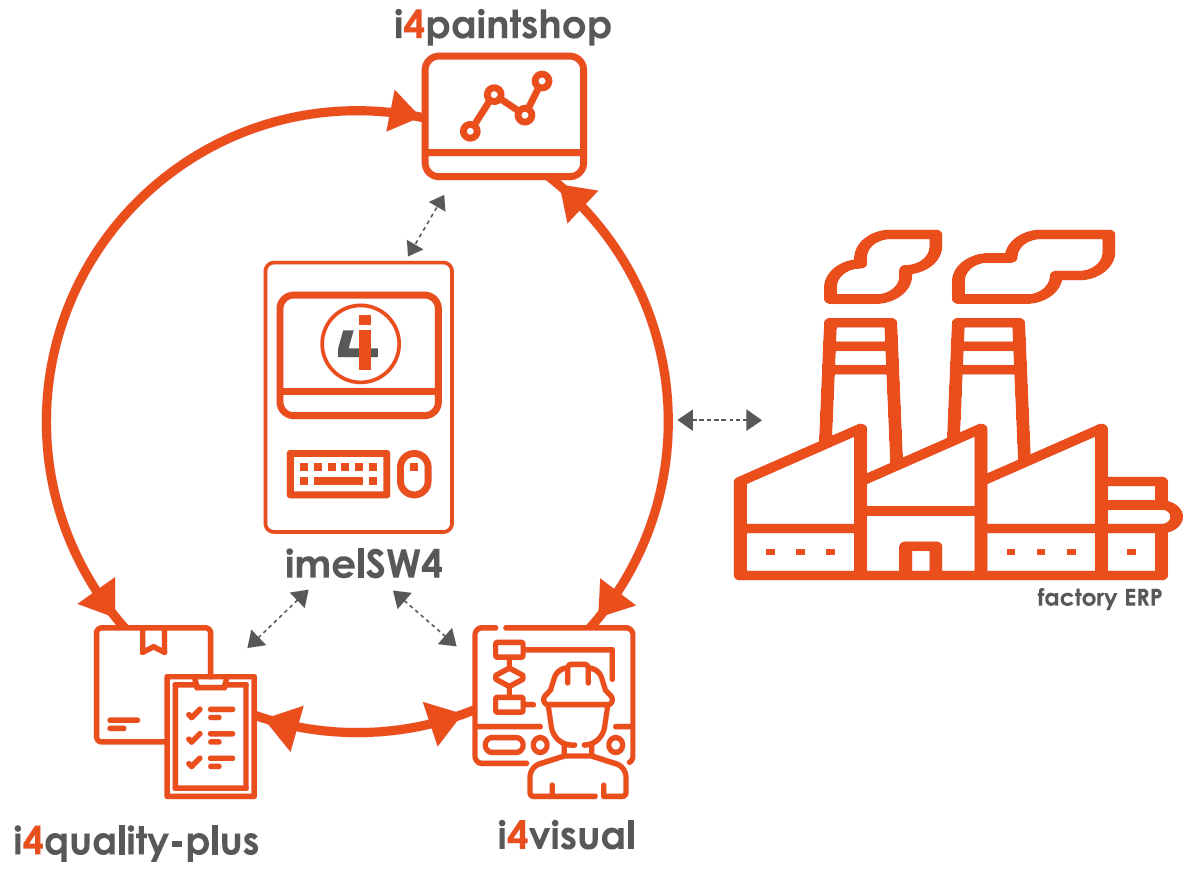
Four environments, one architecture.
The PLC software for plant control and management, developed by Imel’s R&D center.
The 4.0 platform, including the modules for efficiency, traceability, consumption, costs, maintenance, documentation, service and notification.
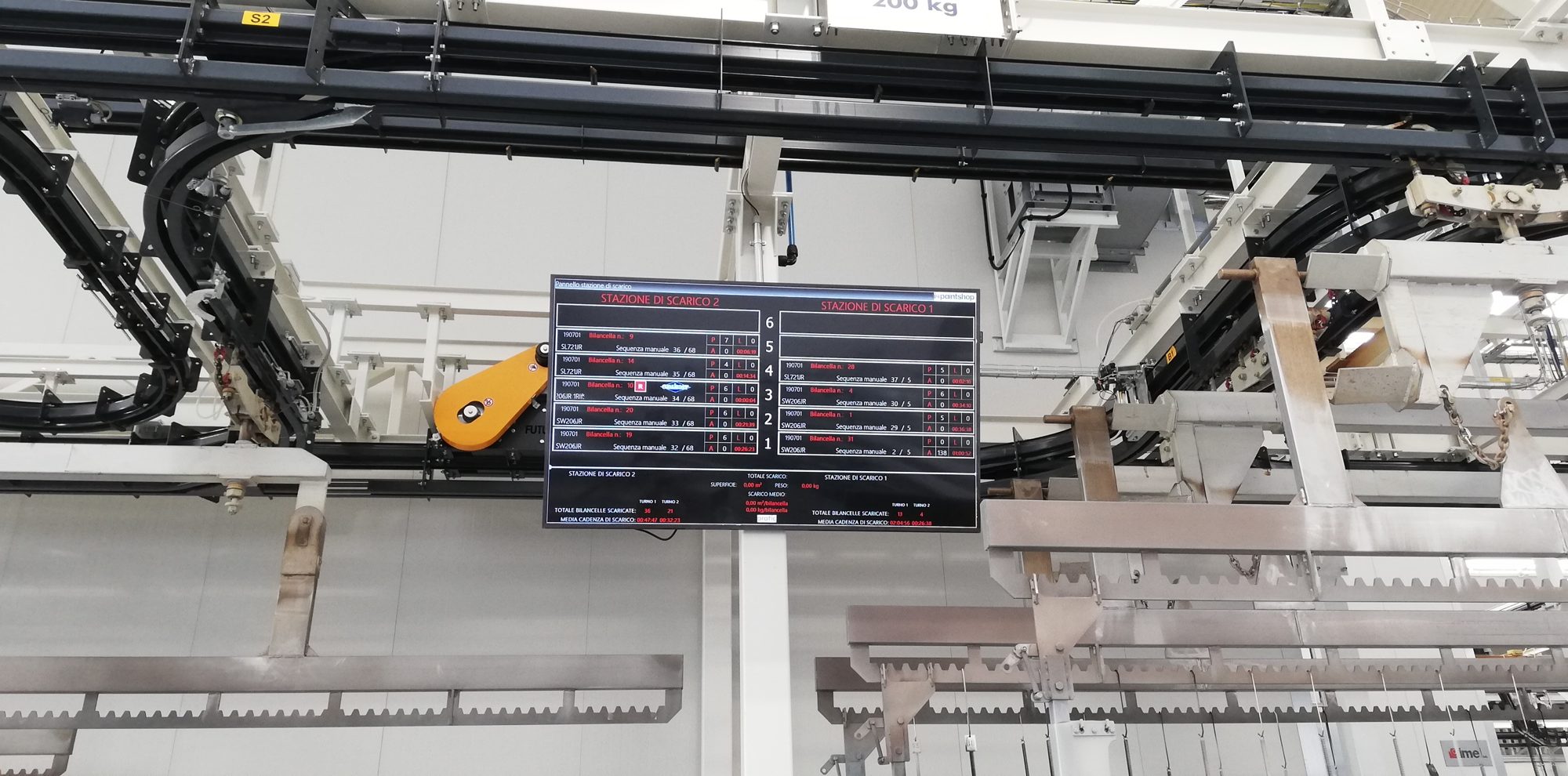
Visual Management on monitors, for real-time plant operation and monitoring.
Off-line quality controls, integrated with the in-line ones.
A modular platform, to be activated in phases.
i4paintshop can include the modules below. Select a module to read its details.
Main features
- Global and detailed consumption report
- Analysis by functional area
- Control parameters for each process and alarm
- Quick access via QR code
- Identification and traceability of production batches
- OEE report
- Production cost analysis
- Maintenance calendar
Advantages
- Developed in-house by Imel
- Integrated into the plant control automation
- Modular, customizable platform
- Easy implementation
- Real-time control

Batch and process traceability

The control software tracks the production batches and records the moment the last hanger of the batch is unloaded. The module stores the batches produced and the related process data on the i4paintshop platform; the data can also be integrated into the customer’s SAP system (or other ERP) through a SQL exchange database.
Additional data that can be extracted and processed
- Production times: detailed history of plant times (start-up, production, plant stops, end of cycle…)
- Plant availability, defined as the Run Time / Operating Time ratio
- Causes of plant downtime associated with the batches of interest
Complete traceability of coated batches
For each batch it is possible to know:
- production data: date, entry time of the first hanger, exit time of the last one and number of rejected parts (data coming from i4quality)
- the list of alarms and process anomalies detected during production
- actual values of the process parameters
- reference consumption and production costs

Plant performance indices (OEE) and in-line quality control

The module processes the OEE index and its components: availability, quality and performance.
Availability
The causes of availability loss are divided into:
- safety alarms
- emergency stops
- process alarms
All data can be extracted in Excel format for further company statistical analysis.
Performance
This is a ratio that depends on the type of production, so it can be measured in different ways according to customer requirements. Some metrics:
- actual parts produced against the nominal value
- coated surface against the nominal value
- frames per hour against the nominal value
- frames per hour multiplied by the loaded coated surface
Quality
This is the result of quality control, which can be managed by the in-line i4quality module or the off-line i4quality-plus module. Reject reasons are defined by the customer and implemented in the module. An easy-to-use panel lets the operator select the reject reason, and the i4quality modules automatically link the rejected part to the frame that carried it.

Consumption analysis

The module detects and processes global and detailed consumption data by functional area, for the following utilities: gas, electricity, water, paints and chemicals.
The customer can assess in real time the cost impact of different shifts and process parameters, as well as the possible presence of anomalies due to excessive consumption.
Batch traceability also allows i4paintshop to associate consumption data with production batches.

Coating costs

i4costing is the module developed by Imel to provide a tool for plant cost analysis and reporting. It connects to i4maintenance and i4environment to receive consumption data and the costs of the maintenance carried out.
- In the module setup, all budgeted costs for running the coating plant are entered, for a constant comparison with the expenses actually incurred.
- A tree navigation system lets you consult the maintenance costs incurred, grouped by area.
- Maintenance costs can be extracted broken down by area, time and materials (spare parts and consumables).
- The comparison between budgeted and incurred costs is always up to date and is measured against nominal and actual production.
- i4costing relates plant costs to productivity expressed in m² coated, to analyze the incidence of process costs on each square meter.

Predictive maintenance and intelligent scheduling

i4maintenance allows the planning and printing of maintenance and inspection plans. When the database is loaded, the parameters and the expected operating and wear life of the plant components are recorded; the database is updated automatically at every intervention by the maintenance technician.
The maintenance calendar
The calendar is easy to read and can be edited by the maintenance manager. Activities are highlighted with a color that identifies their status:
Each task on the calendar is clickable and shows the history of that activity.
Plans and extractions
The system can extract routine maintenance plans for the selected time interval (daily, weekly, bi-weekly, monthly…) and by class of activity, for example cleaning, lubrication, inspection, replacement. Based on the data entered (setup module included in i4maintenance) and on the updates, the system automatically proposes the predictive maintenance schedule. It also extracts maintenance costs broken down by area, time and materials (spare parts and consumables).

Digital documentation and spare parts

i4smartdoc lets the operator access the data of the plant’s main components (pumps, filters, fans, burners, instrumentation, etc.) and of their sub-components, loaded in a restricted area.
Available data
- spare parts list, with prices per authorized user
- diagrams
- operating and maintenance manuals
- drawings and technical data, for example maintenance rules
Access
Data can be accessed from a PC through a tree menu, or from a tablet or smartphone by scanning the QR code affixed to the machine. Connecting the handheld device to the PC gives direct access to the restricted area once the operator logs on to their PC.

The 24-hour interface portal with Imel Service

i4service is the direct access system to Imel’s Service organization, structured by booking according to different priority levels. It lets the customer check in real time the progress of a request and the person in charge of it.
The portal allows the customer to submit any type of communication or request to Imel’s service desk (ticketing). Requests are classified by type: intervention, assistance, spare parts, offers. A description can be attached to each one, along with documents or media of any kind (video, photo, audio).

Emergency notification
i4call is the module that calls or alerts a defined number of operators when certain types of alarm occur and/or when certain parameters exceed preset threshold values, for example minimum and maximum temperature in the oven and in the booth, handling, etc.

Visual Management: lean manufacturing applied to the coating plant

i4visual is a software package that resides in the 4.0 PC and is connected to one or more monitors, displaying real-time information useful for plant operation and monitoring. It can be connected to external databases to provide operating instructions to line operators.

Off-line quality controls, integrated with the in-line ones

i4quality-plus records the results of off-line quality control tests (for example laboratory tests), the number of rejected parts and the reject reasons. The data collected are stored on i4paintshop together with the production information collected in line and the process parameters. The software module is installed on a dedicated PC located in the customer’s QC area.
Example: coating thickness test
- An off-line PC (QC area) loads from the customer’s database, once the batch of interest is selected, the photo of the part showing the areas where thickness is to be measured.
- The data entry form is filled in automatically by the thickness gauge connected to the PC over Wi-Fi; the table can be edited to correct values.
- In case of non-conformities, the batch information is sent to the scheduler’s PC to organize rework lists.
- The information recorded by the module is sent to i4paintshop and stored together with the reference batches.